
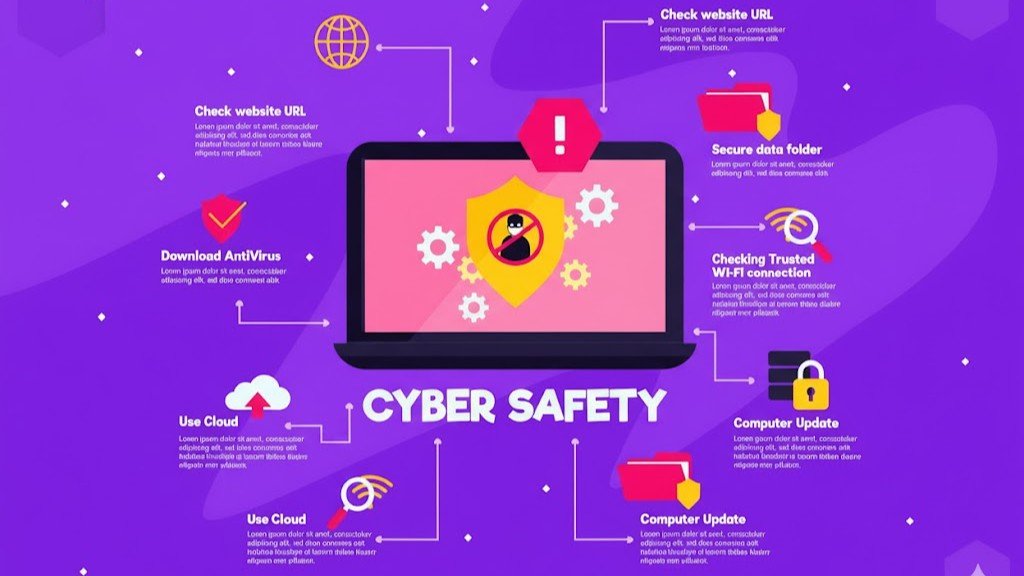
The internet has become an essential part of everyday life. People use it to communicate, shop, manage finances, work, study, store personal information, and run businesses. While digital technology has made life more convenient, it has also created new risks. Cybercriminals are constantly looking for ways to steal information, damage systems, access private accounts, and take advantage of unsuspecting users. This is where Cyber Protection becomes essential.
Cyber protection refers to the strategies, tools, and practices used to defend computers, networks, devices, applications, and personal information from online threats. It is not limited to large companies or technology professionals. Individuals, families, small businesses, and organizations of every size can benefit from having strong cyber protection in place.
What Is Cyber Protection?
Cyber protection is the process of protecting digital systems and information from unauthorized access, attacks, theft, or damage. It combines technology with responsible online behavior to reduce cybersecurity risks.
Common cyber threats include malware, phishing, ransomware, identity theft, password attacks, spyware, and data breaches. Some attacks are highly sophisticated, while others depend on simple human mistakes, such as clicking a suspicious link or using the same password on multiple websites.
Effective cyber protection takes a broad approach. It can include antivirus software, firewalls, encryption, secure passwords, multi-factor authentication, regular software updates, backups, employee training, and monitoring systems.
The goal is not simply to stop attacks. Strong cyber protection also helps detect suspicious activity, limit damage, recover lost information, and keep digital services running.
Why Is Cyber Protection Important?
The amount of personal and business information stored online continues to grow. Email accounts may contain private conversations, while smartphones can hold photographs, financial information, passwords, and access to social media accounts. Businesses may store customer records, payment information, intellectual property, and confidential documents.
Without proper protection, this information can become an attractive target for cybercriminals.
A successful cyberattack can have serious consequences. An individual might lose money or have their identity stolen. A business could face financial losses, operational disruptions, legal problems, and damage to its reputation. In some cases, recovering from a cyberattack can take weeks or even months.
Cyber protection helps reduce these risks by creating multiple layers of security. Even if one security measure fails, other protections may prevent an attacker from gaining complete access.
Common Cyber Threats You Should Know
Understanding common threats is one of the first steps toward better cyber protection.
Phishing
Phishing is one of the most common online scams. Attackers send fake emails, messages, or websites designed to look legitimate. They may pretend to be a bank, delivery company, employer, or popular online service. The goal is usually to convince the victim to provide a password, payment detail, or other sensitive information.
Malware
Malware is malicious software designed to harm a device, steal information, or gain unauthorized access. Viruses, trojans, worms, and spyware are different types of malware.
Ransomware
Ransomware can encrypt files or lock systems and then demand payment from the victim. Businesses are particularly concerned about ransomware because an attack can interrupt important operations.
Password Attacks
Weak or reused passwords can make accounts easier to compromise. If criminals obtain a password from one website, they may attempt to use the same credentials on other services.
Identity Theft
Identity theft occurs when someone uses another person’s personal information without permission, often for financial gain or fraudulent activity.
Essential Cyber Protection Practices
Good cybersecurity does not always require expensive technology. Many effective protective measures are simple habits that anyone can adopt.
Use Strong and Unique Passwords
Every important online account should have a strong, unique password. Avoid obvious information such as birthdays, names, or simple combinations.
A password manager can make it easier to create and securely store different passwords for multiple accounts. This reduces the temptation to reuse the same password everywhere.
Enable Multi-Factor Authentication
Multi-factor authentication, often called MFA, adds another layer of security. Instead of relying only on a password, the account may require a verification code, authentication app, security key, or biometric confirmation.
Even if someone discovers your password, MFA can make unauthorized access much more difficult.
Keep Software Updated
Software updates often include security fixes for newly discovered vulnerabilities. Delaying updates can leave devices exposed to known threats.
Keep operating systems, web browsers, applications, and security software updated whenever possible.
Be Careful With Emails and Links
Never assume that an email is legitimate simply because it looks professional. Check the sender, look for unusual requests, and avoid clicking unexpected links or opening suspicious attachments.
If a message claims that your account has a problem, visit the company’s official website directly rather than using a link provided in the message.
Back Up Important Data
Backups are an important part of cyber protection because security incidents can result in lost or encrypted files. Keep copies of important documents, photographs, and business information in a secure backup location.
For critical information, having more than one backup can provide additional protection.
Cyber Protection for Businesses
Businesses face increasingly complex cybersecurity challenges. A company may have dozens or thousands of employees using computers, cloud services, mobile devices, and remote connections.
One compromised account can sometimes provide an attacker with access to much larger systems.
Businesses should establish clear security policies and provide cybersecurity awareness training to employees. Staff should know how to recognize phishing attempts, handle sensitive information, use company devices safely, and report suspicious activity.
Organizations should also control user permissions. Employees should only have access to the information and systems they need to perform their jobs. This approach can reduce the potential impact if an account becomes compromised.
Regular security assessments, network monitoring, vulnerability management, and reliable data backups can further strengthen an organization’s cyber protection strategy.
Protecting Mobile Devices
Smartphones and tablets are often overlooked when people think about cybersecurity. However, these devices can contain highly sensitive information and provide access to numerous online accounts.
Use a strong screen lock and enable biometric security where appropriate. Install applications only from trusted sources and review app permissions regularly.
Avoid connecting to unknown or unsecured networks when handling sensitive information. Keeping your mobile operating system and applications updated is also important.
If a phone is lost or stolen, features such as remote device tracking and remote data deletion can help protect personal information.
The Human Factor in Cybersecurity
Technology alone cannot provide complete protection. People play a major role in cybersecurity.
A sophisticated security system can still be undermined if someone willingly provides a password to a scammer or installs malicious software. This is why awareness and education are so important.
People should develop the habit of questioning unexpected requests for money, credentials, confidential information, or urgent action. Cybercriminals often create a sense of panic to make victims act before they have time to think.
Taking a few extra seconds to verify a request can prevent a serious security incident.
The Future of Cyber Protection
Cyber threats will continue to evolve as technology changes. Cloud computing, artificial intelligence, connected devices, remote work, and digital services create new opportunities but also introduce new security challenges.
Future cyber protection will likely rely increasingly on automated threat detection, behavioral analysis, stronger identity verification, and intelligent security systems. At the same time, basic security habits will remain important.
The most effective approach is to treat cybersecurity as an ongoing process rather than a one-time task. New threats appear regularly, and security practices must evolve alongside them.
Frequently Asked Questions About Cyber Protection
1. What does Cyber Protection mean?
Cyber Protection means using security tools, technologies, and safe practices to protect digital devices, networks, accounts, and information from cyber threats such as hacking, malware, phishing, and data theft.
2. Why is Cyber Protection important?
Cyber Protection is important because personal and business information can be targeted by criminals. Effective protection can reduce the risk of unauthorized access, financial loss, data theft, and operational disruption.
3. What is the best way to protect online accounts?
Using strong and unique passwords combined with multi-factor authentication is one of the most effective ways to improve account security. Keeping recovery information updated is also helpful.
4. Can Cyber Protection prevent every cyberattack?
No security system can guarantee that every attack will be prevented. However, multiple layers of protection can significantly reduce risks, detect suspicious activity, limit damage, and improve recovery after an incident.
5. Is Cyber Protection necessary for small businesses?
Yes. Small businesses can be attractive targets because they may hold valuable customer and financial information while having fewer security resources. Basic measures such as MFA, backups, software updates, access controls, and employee training can make a significant difference.
6. How can I recognize a phishing message?
Be cautious when a message creates urgency, asks for sensitive information, contains unexpected attachments, or directs you to an unfamiliar website. When in doubt, verify the request through an official communication channel.
7. Does antivirus software provide complete Cyber Protection?
Antivirus software can detect and block many malicious programs, but it is only one part of a complete security strategy. Safe browsing habits, strong passwords, MFA, updates, backups, and awareness are also important.
8. How often should cybersecurity practices be reviewed?
Cybersecurity should be reviewed regularly rather than only after an incident. Individuals should periodically check passwords, account security, updates, and backups. Businesses should conduct more formal security assessments and update their policies as threats and technologies change.
Final Thoughts
Cyber protection is no longer something that only IT departments need to worry about. Anyone who uses the internet has a reason to take digital security seriously.
Strong passwords, multi-factor authentication, updated software, secure backups, careful browsing, and cybersecurity awareness can significantly reduce many common risks. Businesses can go further by implementing security policies, employee training, access controls, monitoring, and incident response plans.
The digital world offers enormous benefits, but those benefits come with responsibility. By understanding common threats and developing safer online habits, individuals and organizations can protect their information and use technology with greater confidence.